


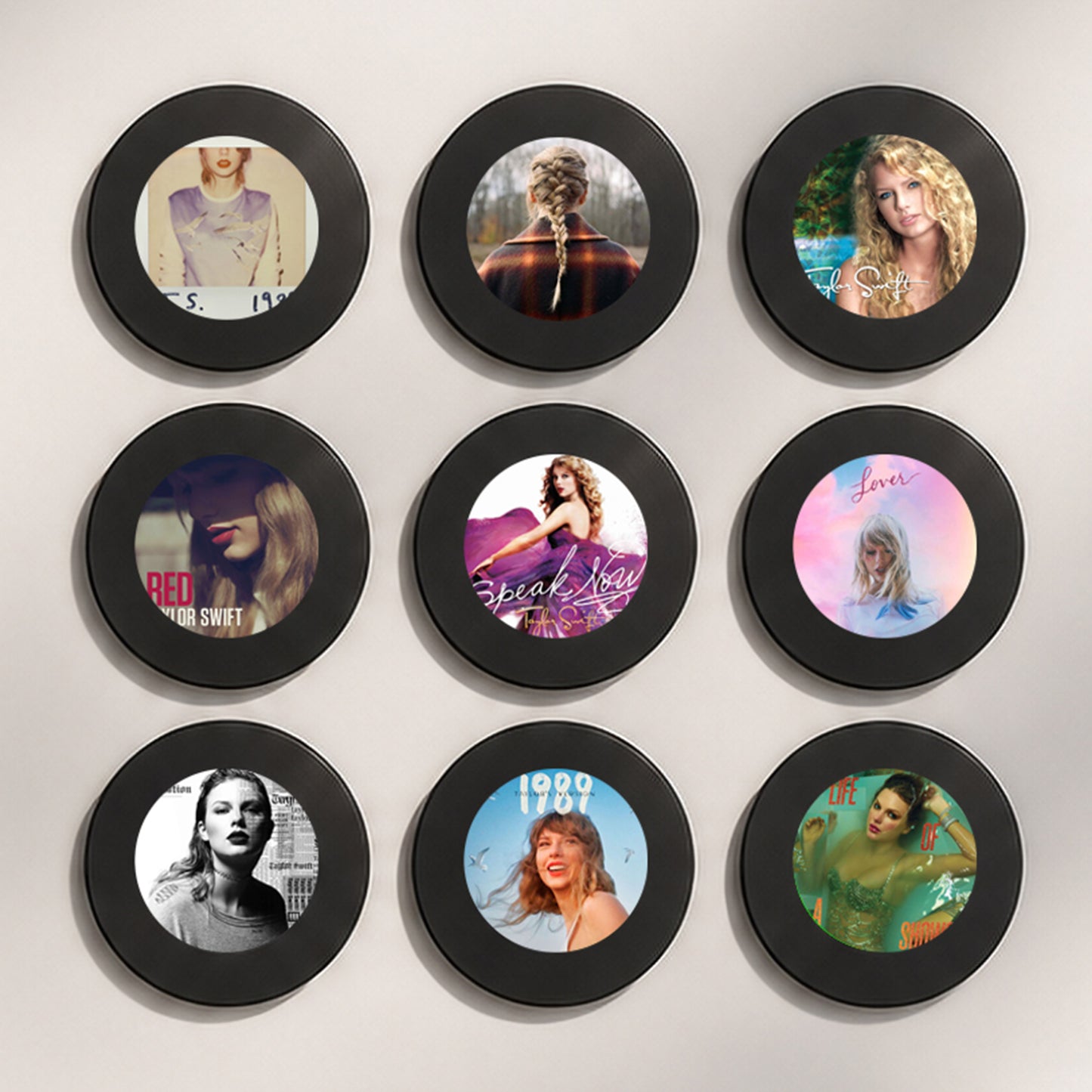
Vinya Aura Taylor Swift Inspired set
Vinya Aura Taylor Swift Inspired set
LIMITED OFFER: FREE SHIPPING
Couldn't load pickup availability
-
Ordered
- - -
Order Shipped
- - -
Delivered

Vinya Aura Taylor Swift Inspired set
Vinya Aura is a minimalist music memory player that turns songs into lasting emotional moments. Collectible vinyl-style discs link your favorite tracks to personal memories you can return to anytime.
Designed for music lovers and fans, it transforms listening into a physical, nostalgic experience. A premium keepsake where sound, emotion, and memory become timeless.

Fast & Free Worldwide Shipping (Limited offer)

Fast & Free Worldwide Shipping (Limited offer)
Vinya Aura offers secure, tracked shipping to the United States, United Kingdom, European Union, Australia, and Canada.
- Orders are processed within 1–3 business days
- Estimated delivery time: 5–8 business days after processing
- Tracking information is sent via email
30-Day Return Guarantee
30-Day Return Guarantee
If your order arrives damaged or defective, you may request a return within 30 days of purchase. Return shipping costs are the responsibility of the customer. Once the item is received and inspected, a refund will be processed according to the return policy.


F.A.Q.

Do I need Spotify or a streaming subscription?

Do I need Spotify or a streaming subscription?
No. Vinya Aura works entirely offline. Simply upload your MP3 files from a computer once, and enjoy your music anytime without internet access, apps, or subscriptions.
How do I change a song later?
How do I change a song later?
Connect the player to your computer using the included USB-C cable. Open the corresponding folder, remove the existing MP3 file, and drag in a new one. The process takes less than a minute.
Which audio formats are supported?
Which audio formats are supported?
Vinya Aura supports MP3 files only. Formats such as WAV, FLAC, and M4A are not recognized. If needed, audio files can be converted to MP3 using free online tools.
How do the NFC chips work?
How do the NFC chips work?
You receive 9 numbered NFC chips. Each number corresponds to a folder inside the player. Simply attach a chip to the back of any disc and place the matching MP3 file in the corresponding folder. The chip's position on the disc does not matter.
Does it work with Mac and Windows?
Does it work with Mac and Windows?
Yes. Vinya Aura is fully compatible with both Mac and Windows computers. When connected via USB-C, it appears as an external drive containing 9 folders. No software, drivers, or setup is required.
What if I want more than 9 songs?
What if I want more than 9 songs?
Each disc can be rewritten as many times as you like, allowing you to change your collection whenever you want.
How long does the battery last?
How long does the battery last?
A full charge provides up to 8 hours of continuous playback. The battery recharges via USB-C in approximately 2 hours.
Customer Reviews
-

I love it! my can doesn't tho
I love it has strong magnet! fire player. my friends also buying one. my cat hates when I play LP tho:))
-

Finally
After 11 days, finally!!!!!! Good, hight quality player. love it. I like I can put any songs there. But please, make faster shipping
-

PLS do Billie Eilish set
I love it! mint stuff!!! But pls do Billie Eilish set!!!! I need it asap!
-

unique Player!
I really like the quality. Well built. Would be really cool if you make faster shipping
-

FIREEEEE!!!
Bro just got mine!!! FIRE!


